A time tracking system becomes useful for a team only when invitations, roles, and access are clear. In PrikKlokPlus, managers control team members from one central place.

What team management does
Team management determines who has access to your tenant and what each person can do.
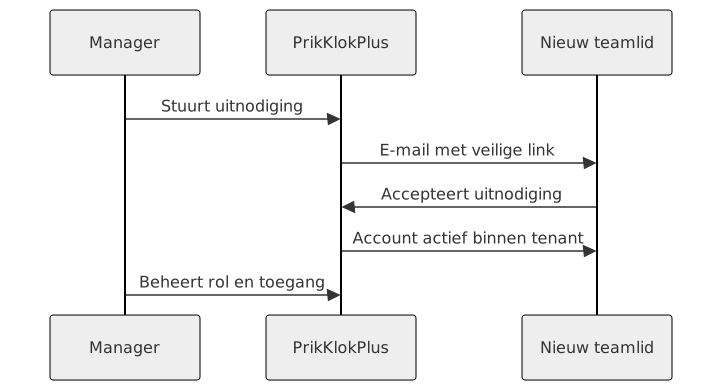
- Email invitations: send a secure invitation link to a new team member.
- Roles: managers handle hours, projects, and invoices; employees track their own hours and tasks.
- Status overview: see which invitations are pending, expired, or accepted.
- Access removal: remove team members when employment or project access ends.
How to invite someone
- Open Team or Invitations.
- Enter the employee email address.
- Send the invitation.
- The employee chooses name and password through the link.
- They can then log hours inside your tenant.
Example: an intern starts Monday. You send the invitation Friday. On Monday morning, the intern logs in, sees only their own hours and tasks, and does not need client or invoice management.
Why roles matter
Not everyone needs everything. An employee needs fast hour entry. A manager needs approval, reporting, and invoicing control. Keeping roles small makes the app clearer and safer.
Start free and invite your first team member.
Frequently asked questions
How long does an invitation remain valid?
Invitations expire after a configured period. Send a new invitation if the old link has expired.
Can an employee see client details?
Employees mainly see what they need for their own work. Managers control broader client and invoice data.
What happens when someone leaves?
Remove access through team management. Keep existing hour records for reporting, invoicing, and legal retention duties.