
Excel: free, but at what cost?
Many small businesses and freelancers start with Excel for time tracking. That is understandable: it is free, familiar, and flexible. But as your team or project portfolio grows, the limitations quickly become apparent.
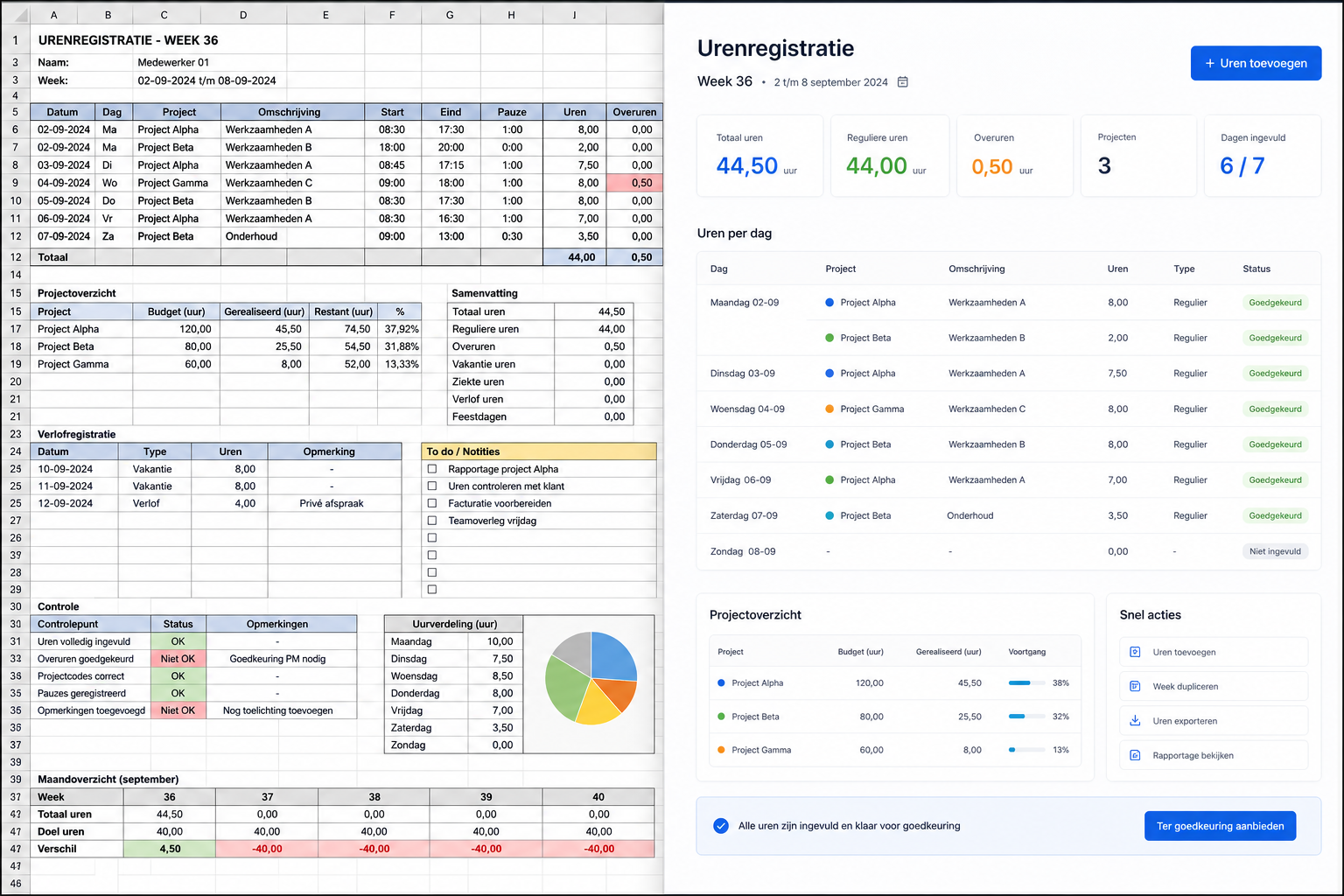
What Excel does well
- Free to use (via Microsoft 365 or LibreOffice)
- Highly customisable to your own workflow
- No learning curve for basic use
- Works offline
Where Excel falls short
Once multiple people are logging hours, the drawbacks become visible quickly:
- No real-time collaboration: who has the latest version? Who changed something?
- No approval workflow: you cannot track whether a manager has approved hours
- No automatic invoicing: you must manually build an invoice from the timesheet
- No project linking: connecting hours to clients and projects requires manual formulas
- Error-prone: a missed cell or wrong formula produces an incorrect invoice
- No reporting: insight per employee or project requires manual pivot tables
What time tracking software offers
Specialised software solves all of these problems:
- Centralised data: everyone works in the same system, always up to date
- Approval workflow: employees submit hours, managers approve with one click
- Direct invoicing: approved hours are automatically converted into a PDF invoice
- Project management: link hours to projects, tasks, and clients
- Reporting: direct insight into utilisation, project profitability, and billable hours
When is Excel still fine?
Excel works well if you are a sole trader with at most two or three clients and no complex invoicing needs. As soon as you manage a team or regularly invoice by the hour, switching to specialised software is worth it — especially when that software starts for free.

Conclusion
The choice is simple: Excel for the smallest situations, time tracking software once your team or client portfolio grows. PrikKlokPlus is free for the first user — try it without risk.